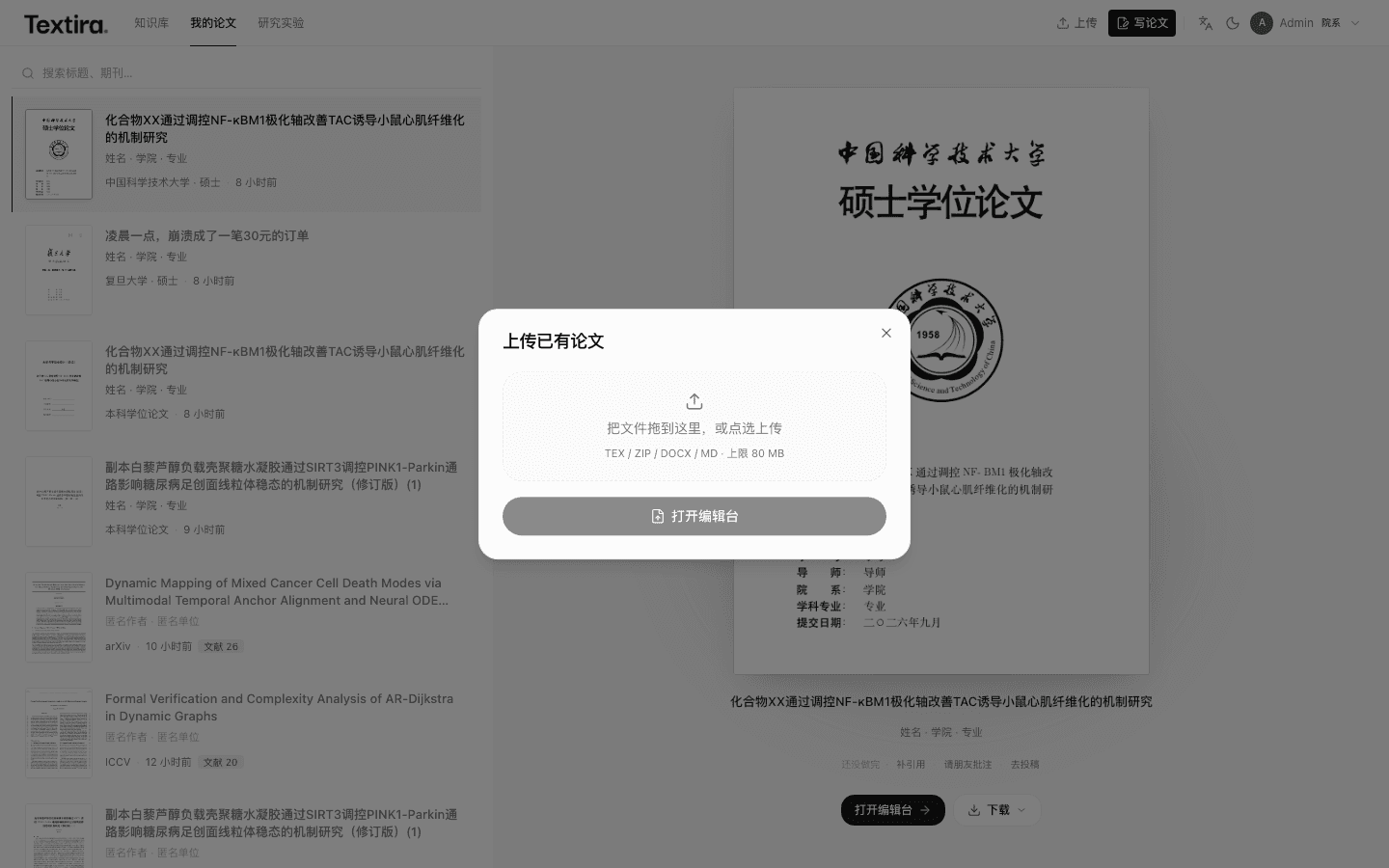
New paper starts a draft. Open workbench to edit it.
Start a new paper
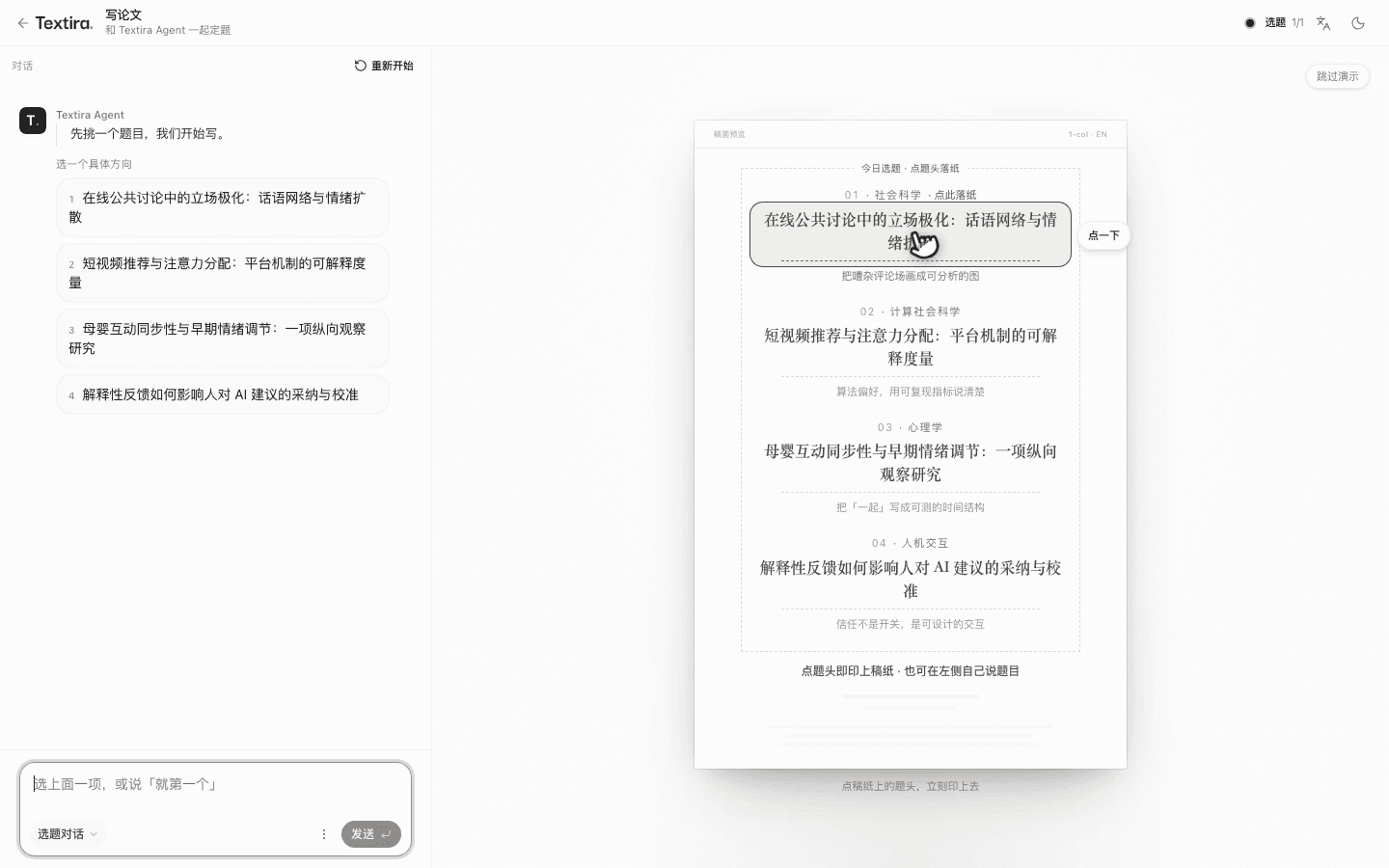
In My papers, click New paper and choose how it begins. From a topic: chat on the left, the page on the right. Finish data and venue, then start. You can leave while it runs.
- Click New paper, then choose how to start.
- Pick a topic, or type your own.
- Choose your data and venue.
- Start.
Tips
- A Chinese draft cannot use an English venue. Start over clears this chat.
Open the workbench
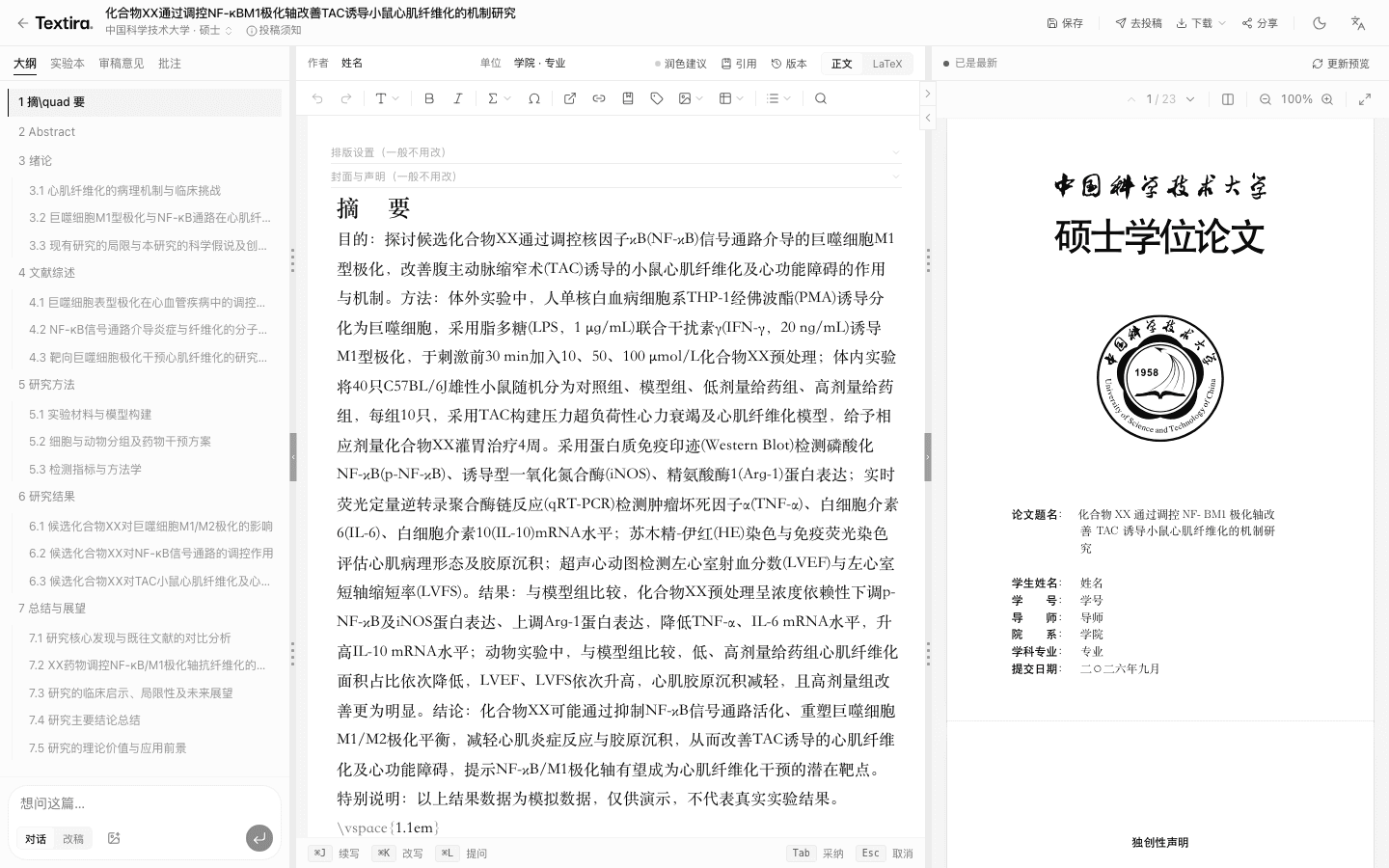
Outline on the left, text in the middle, layout on the right. The preview does not update as you type—click Update PDF.
- In My papers, click Open workbench.
- Edit the abstract and sections.
- Click Update PDF.
Tips
- You can switch to another venue in the same language, then update the PDF.
Related